Event Manipulation
During a run, we will encounter nodes with skill checks that we will have to succeed or critically succeed for the purposes of max score. This section is a description of the methods we use to manipulate any event to get our desired results. For a node by node analysis, go to the Node Guide.
When an event check happens, a random card is taken from the hero decks. Using Quicksave we can reload the game prior to doing the check, and then change the gamestate to change the results. The ways we will do this is as follows:
1) Adding a card to a hero’s deck prior to the check will cause the result of that specific hero to be shuffled. Other heroes will not be affected.
2) Changing the HP total (all 4 team members added together) of the team will cause every hero’s deck to be shuffled. Taking more damage, or healing more in combat will change the result
2.5) Level ups on heroes frequently change both, and are the fastest and easiest ways of giving new event permutations.
3) Taking items from a shop or event reward that change our HP totals (max hp) will also change the outcome of the skill check.
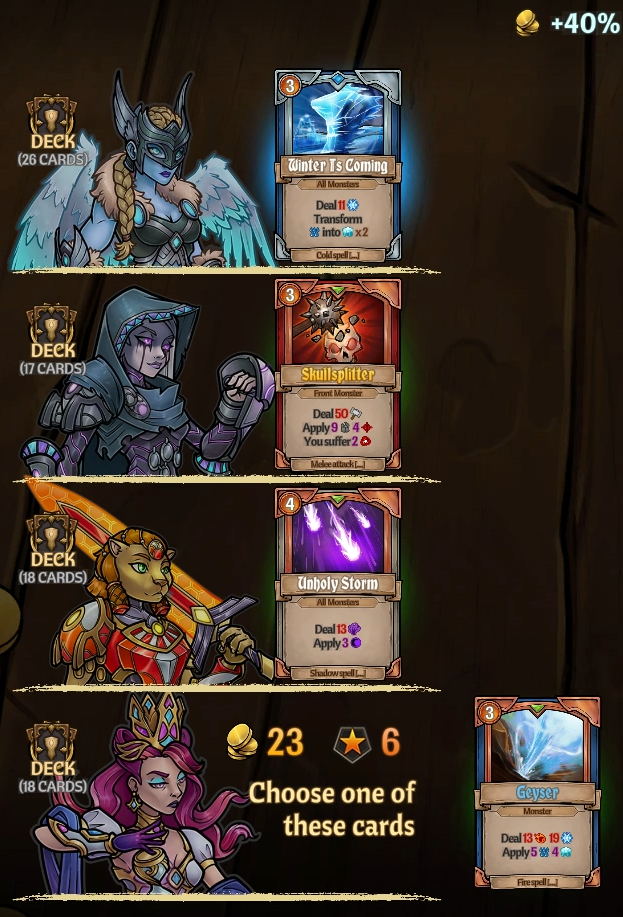
The first step is to take 3 save states of the game. The first in the middle of combat, which we will use to change card rewards and HP totals. The second and third should be taken after combat, before the check, one with no card rewards taken. The other with all 4 card rewards taken. These cards are not to be played or used, they are simply to manipulate the event. With the saves taken, we can start the event for the first time.
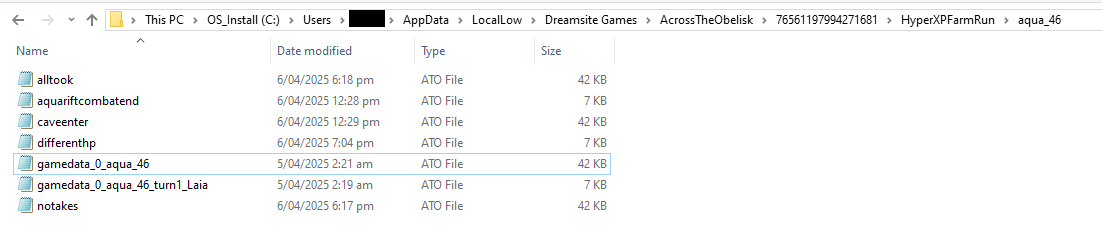
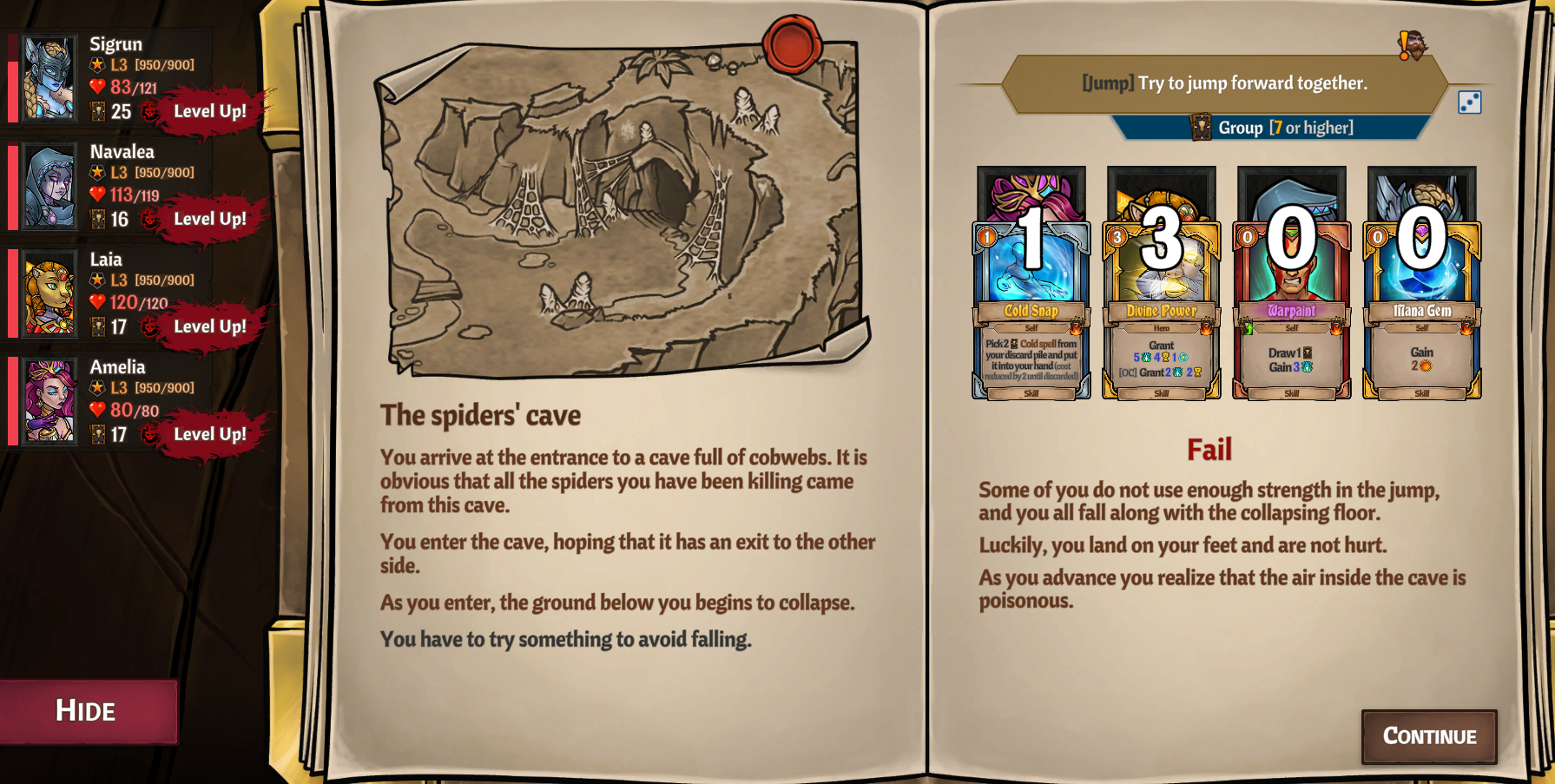
We should of course never expect to succeed on the first attempt.
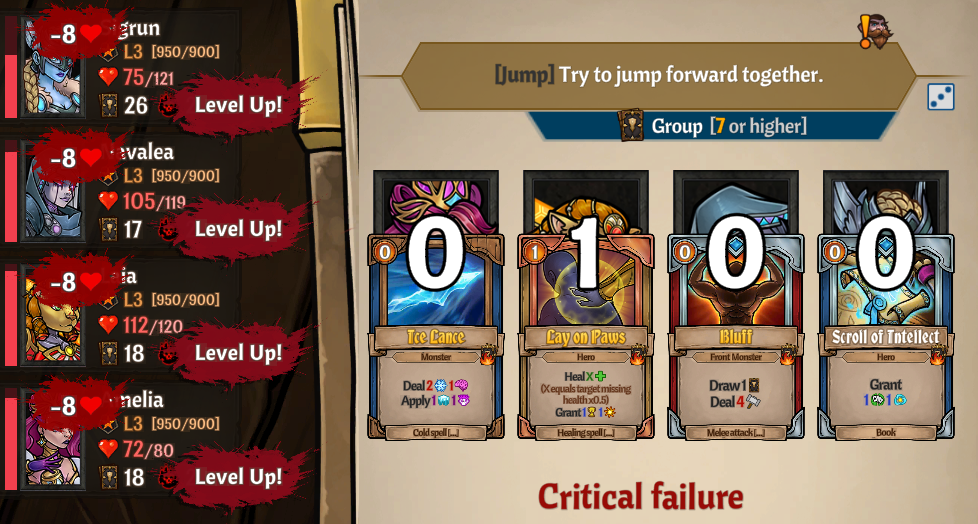
We then load the save state with all cards taken and make the attempt again. This will change every hero’s deck individually, and give us a new result.
(Note, the HP loss in this image is from the critical failure. It will not affect results)
Since we need 11 for a Critical Success, we reload both saves individually, but this time we take a level up before doing the check.
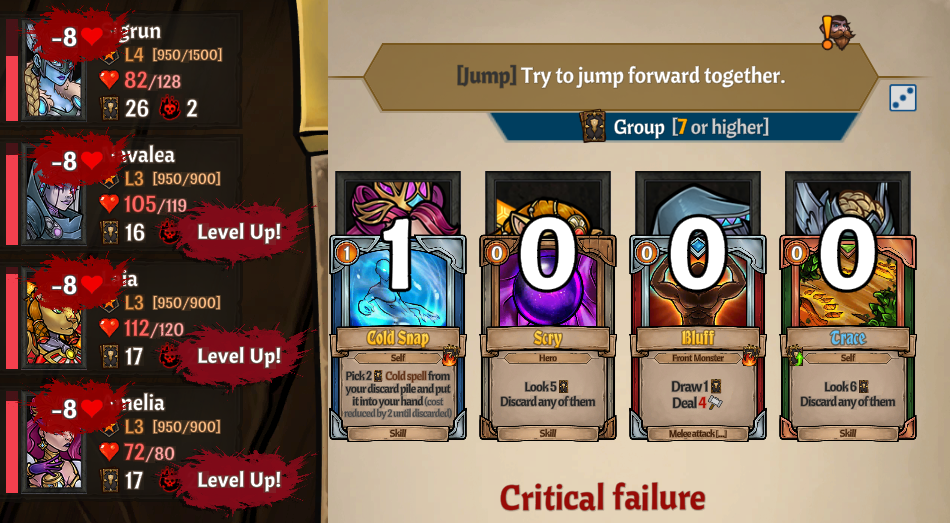
It is important to record the results in some fasion to prevent general confusion. Our decks tend to have multiple copies of the same card, and it is very easy to get a bit lost in the sauce. Take good, clear notes!
One way we can chart the results is like so!
We can now repeat this process for every single characters level up, and level up pairing, offering different results each time.
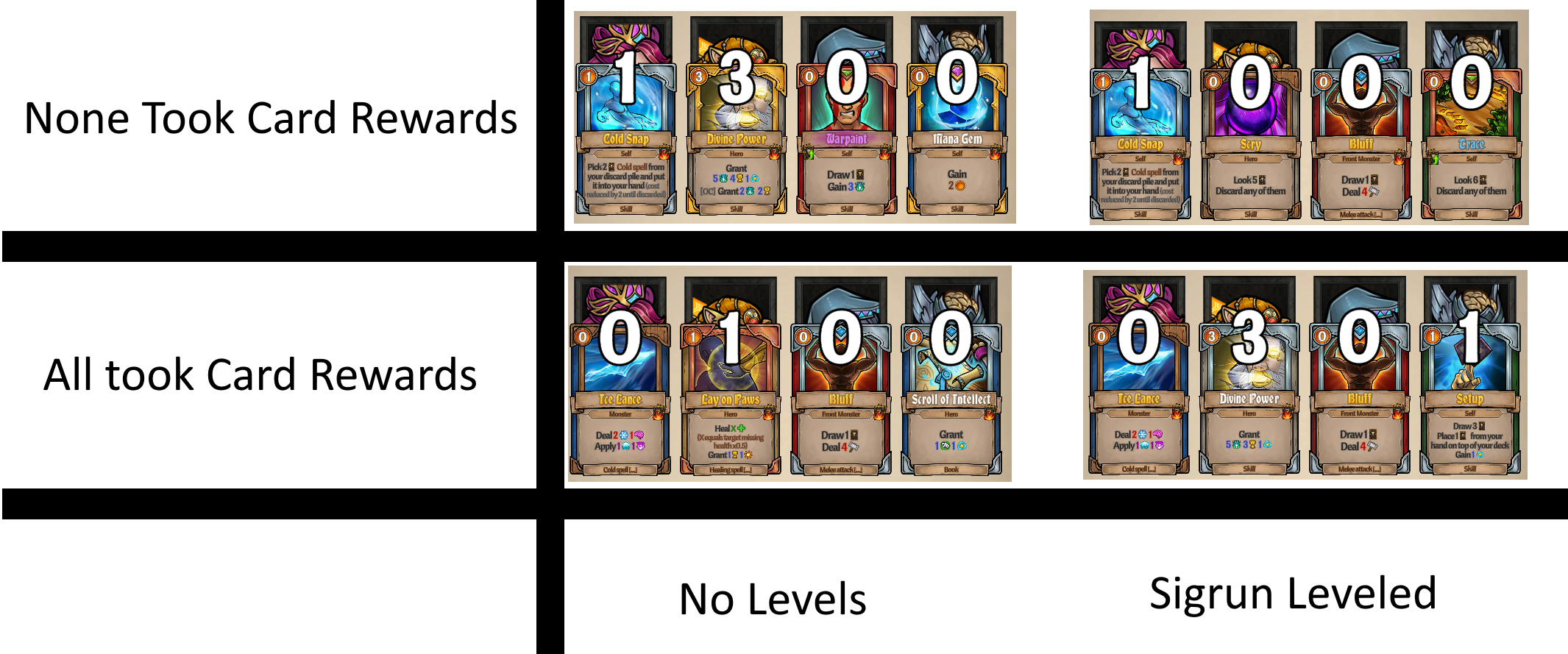

Once completed, we can mix and match results to achieve our desired results.
In this example, only Laia and Sigrun took a card reward from the combat, and Sigrun and Navalea leveled up before the check.
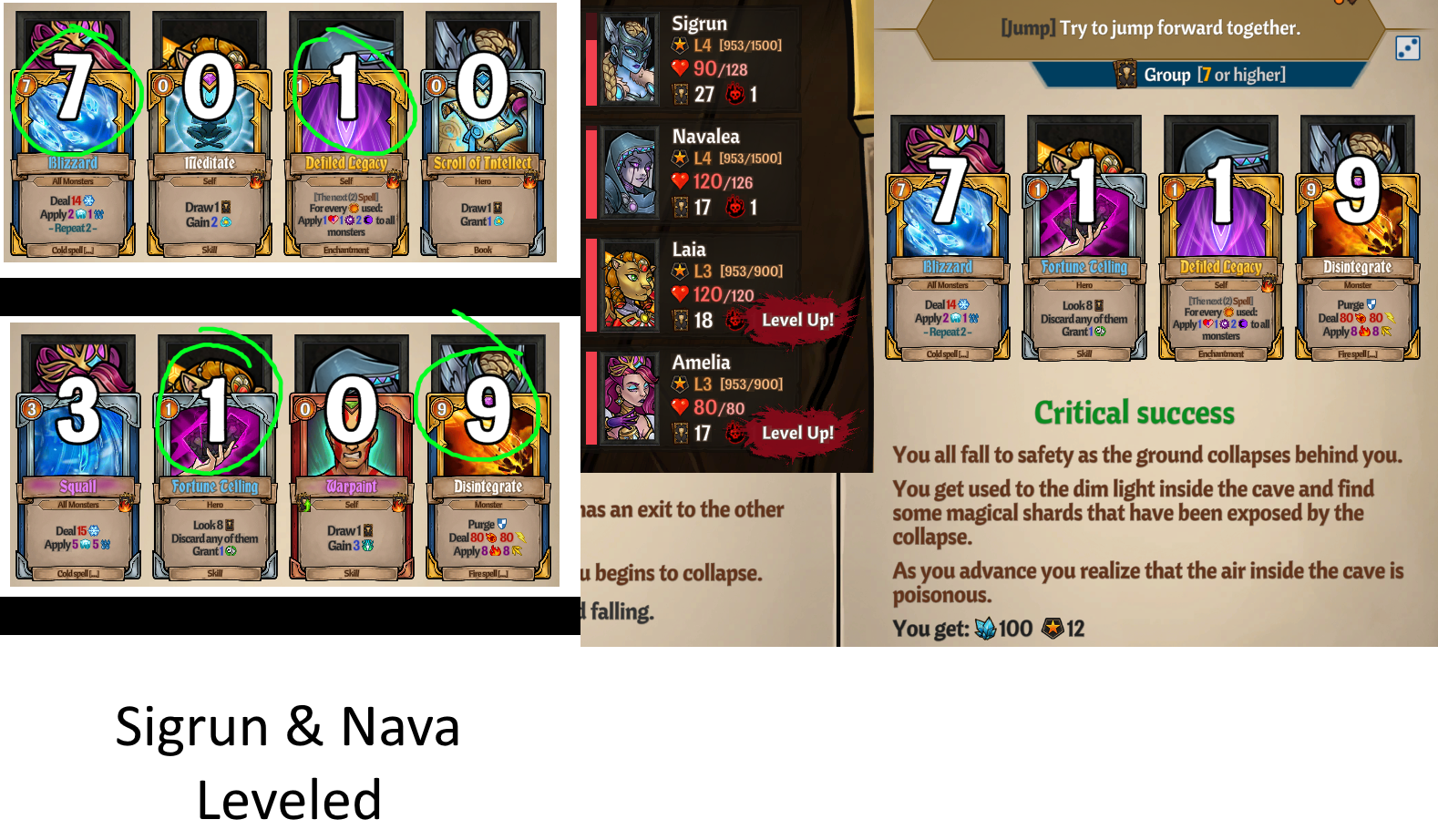
If all of this fails, we can restart the whole process by redoing the combat but ending the party on a different health total (Remember, it takes the entire parties health total as aggregate)
Using these methods, assuming you have a few ways to heal/take extra damage, there should be enough permutations to achieve any desired result for any given skill check.
Other ways to change skillcheck outcomes do exist, for instance taking items or removing cards instead of adding them. With a bit of creative thinking, many more permutations can be found than the ones listed here.